
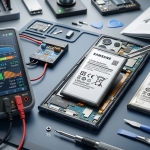



A Samsung smartphone battery gradually loses capacity as it ages, but certain warning signs can indicate that replacement may be necessary. If your phone drains quickly, shuts down unexpectedly, overheats during ordinary use, or takes longer to charge, the battery may no longer be performing efficiently. Recognizing these symptoms early can help you avoid interruptions and make a more informed repair decision. Smartphone Solutions helps users explore device repair options, while services such as game console repair El Paso and computer repair El Paso support other technology needs.
Before investing in a new phone, it is worth checking whether the battery is responsible for the problem. This guide explains the most common signs of Samsung battery deterioration, simple checks you can perform, and the factors that influence replacement costs.
Table of Contents
-
Warning Signs Your Samsung Battery Needs Replacement
-
How to Check Samsung Battery Health
-
What Causes Battery Deterioration?
-
Samsung Battery Replacement: Cost Considerations
-
Frequently Asked Questions
-
Conclusion and Call to Action
1. Warning Signs Your Samsung Battery Needs Replacement
1. Your Battery Drains Too Quickly
If your Samsung phone loses a significant amount of charge during light use, its battery capacity may have declined. However, background apps, weak mobile signals, high screen brightness, and software problems can also increase battery consumption.
Check your battery usage settings to identify apps that consume unusually high amounts of power.
2. Your Phone Shuts Down Unexpectedly
A phone that switches off even when the battery indicator shows remaining charge may have a deteriorating battery. In some cases, software problems or other hardware faults can produce similar symptoms.
If unexpected shutdowns happen repeatedly, consider getting the device assessed.
3. Charging Takes Longer Than Usual
Slow charging does not automatically mean the battery needs replacement. A damaged cable, unsuitable adapter, dirty charging port, or temperature issue may be responsible.
Test a compatible charger before concluding that the battery is faulty.
4. Your Phone Gets Unusually Hot
Some warmth during charging, gaming, and video recording is normal. Persistent or excessive heat during ordinary use, however, may indicate a battery or hardware problem.
Stop using and charging your phone if you notice swelling, smoke, a burning smell, or extreme heat, and seek qualified assistance.
5. Your Battery Percentage Changes Suddenly
If the charge drops sharply from one percentage to another or the phone switches off before reaching zero, the battery may be struggling to deliver consistent power. Software issues can also affect battery readings, so professional diagnosis may be necessary.
6. Your Phone's Battery Is Swollen
A bulging back cover, raised screen, or unusual separation of the phone's body may indicate a swollen battery. This is a serious safety concern.
Stop using or charging the device. Do not press the phone closed, puncture the battery, or attempt to remove it yourself. Arrange qualified repair or battery handling.
2. How to Check Samsung Battery Health
You can perform a few basic checks before booking a repair.
-
Review battery usage: Open Settings and look for the battery or battery usage section to identify power-hungry apps.
-
Use Samsung Members: On supported devices, the Samsung Members app may provide a battery diagnostic under its support or diagnostics tools.
-
Update your software: Updates can address bugs that affect power consumption.
-
Observe normal usage: Note whether the battery drains unusually fast even when you are not running demanding apps.
These checks can help identify possible problems, but they cannot always determine the battery's actual remaining capacity. If the symptoms persist, a professional assessment can help confirm the cause.
3. What Causes Battery Deterioration?
Samsung batteries naturally lose capacity through repeated charging and discharging. Several habits and conditions can contribute to battery wear:
-
Frequent exposure to high temperatures.
-
Intensive gaming or demanding applications for extended periods.
-
Using damaged or unreliable charging accessories.
-
Leaving the phone in direct sunlight or a hot vehicle.
-
Normal aging and repeated charge cycles.
To support battery longevity, keep your phone away from extreme heat, use compatible charging accessories, and explore the battery protection features available on your model.
4. Samsung Battery Replacement: Cost Considerations
The price of battery replacement depends on the Samsung model, parts availability, labor, and the extent of any additional damage.
| Service or issue | Cost consideration |
|---|---|
| Software troubleshooting | May be possible without a repair fee |
| Charger or cable replacement | Depends on the accessory |
| Battery replacement | Varies by model and parts availability |
| Charging port repair | Depends on the fault and repair complexity |
| Additional hardware damage | Requires separate diagnosis |
Budget tip: Request a diagnostic assessment and an itemized estimate before authorizing work. Ask whether the price includes the battery, labor, testing, and warranty. Compare the estimate with your phone's age and overall condition before deciding whether repair or replacement offers better value.
5. Frequently Asked Questions
How long does a Samsung phone battery last?
Battery lifespan varies by model, usage, temperature, and charging habits. Many batteries gradually lose capacity over several years, but there is no single replacement schedule for every user.
Can I replace my Samsung battery myself?
Some older models have user-removable batteries, but most modern Samsung phones require more involved repairs. Professional replacement can reduce the risk of damaging the device or battery.
Does fast charging damage a Samsung battery?
Compatible fast charging is designed for supported devices. However, excessive heat can accelerate battery wear, so use reliable accessories and avoid charging in hot environments.
Is a new battery better than buying a new phone?
If the phone otherwise works well, battery replacement may be more economical than purchasing a new device. Compare the repair cost with the phone's age, performance, and remaining software support.
Where can I get help with Samsung phone problems in El Paso?
You can contact Smartphone Solutions to explore available repair options and ask about diagnostics, pricing, and service coverage.
6. Conclusion and Call to Action
Rapid battery drain, unexpected shutdowns, inconsistent charging, and unusual heat can indicate that your Samsung phone needs attention. Although software and charging accessories can cause similar symptoms, persistent problems may point to battery deterioration. Checking battery usage and arranging a professional diagnosis can help you avoid unnecessary expenses and choose the right solution.
For assistance exploring device repairs, Smartphone Solutions is a resource for customers in El Paso. Whether you need Samsung battery service, game console repair El Paso, or computer repair El Paso, confirm the available services, diagnostic fees, and estimated costs before proceeding.
Is your Samsung phone struggling to hold a charge? Visit Smartphone Solutions to learn more about available repair options and take the next step toward keeping your device running reliably.