





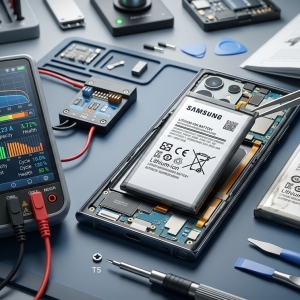

A laptop that freezes when opening multiple applications can interrupt your workflow, delay important tasks, and make even simple activities frustrating. This problem may be caused by insufficient RAM, overloaded processors, storage issues, outdated drivers, or overheating. iPC Repair Houston helps customers explore computer repair solutions, while users searching for MacBook repair Houston or liquid damage repair Houston can investigate professional support for performance problems involving software or internal hardware.
Understanding why your laptop freezes when multitasking can help you identify the cause, improve performance, and decide when professional diagnosis is necessary.
Table of Contents
-
Common Reasons a Laptop Freezes
-
How to Fix Laptop Freezing Problems
-
When to Seek Professional Repair
-
Tips to Prevent Future Freezing
-
Frequently Asked Questions
-
Call to Action
1. Common Reasons a Laptop Freezes
Insufficient RAM
Random access memory (RAM) allows your laptop to manage active applications and tasks. When you open several programs simultaneously, they compete for available memory.
If your laptop has limited RAM, the operating system may struggle to keep applications responsive. You might experience delayed clicks, frozen windows, or programs that stop responding.
Closing unnecessary applications can help. If memory consistently reaches its limit during normal use, upgrading RAM may be worth considering if your laptop supports it.
High CPU Usage
The central processing unit (CPU) handles instructions from applications and the operating system. Resource-intensive programs, background updates, or too many active processes can overwhelm the processor.
Open your system's Task Manager on Windows or Activity Monitor on macOS to identify applications consuming excessive CPU resources. Closing an unresponsive or unnecessary application may restore performance.
Slow or Failing Storage Drive
Your laptop relies on its storage drive to load applications, access files, and support virtual memory when RAM becomes limited. A slow drive can make multitasking sluggish, while a failing drive may cause freezes, unusual errors, or extended loading times.
If you notice repeated freezing alongside clicking sounds from a mechanical hard drive or file access errors, back up important data if possible and seek professional assessment.
Overheating
When a laptop becomes too hot, its processor may reduce performance to control temperature. In severe cases, the system may become unstable or shut down.
Blocked vents, dust buildup, failing fans, and demanding applications can contribute to overheating. Keep your laptop on a hard, flat surface and ensure its ventilation openings remain clear.
Outdated Drivers or Software Conflicts
Outdated graphics drivers, operating system errors, or incompatible applications can cause freezing when several programs run together.
Install updates from trusted sources and remove applications you no longer need. If freezing began after a recent update or software installation, investigate whether that change is related to the problem.
Malware or Background Processes
Malicious software and unnecessary background services can consume memory, processor capacity, and storage resources. This may cause applications to freeze when you attempt to multitask.
Run a security scan using reputable security software and review which programs launch automatically when your laptop starts.
Internal Hardware Damage
Faulty memory modules, motherboard problems, or damaged internal components may lead to recurring freezes. Liquid exposure can also damage electronic circuits and cause unpredictable performance problems.
If your laptop recently experienced a spill, turn it off, disconnect the charger if safe, and avoid powering it on again until it has been assessed. Professional liquid damage repair Houston services may help identify affected components.
2. How to Fix Laptop Freezing Problems
Try these troubleshooting steps to determine whether the issue can be resolved without hardware repair.
-
Close unnecessary applications: Reduce the number of programs running simultaneously.
-
Check system resources: Use Task Manager or Activity Monitor to identify high memory and CPU usage.
-
Restart the laptop: A restart can clear temporary system problems.
-
Free up storage space: Remove unnecessary files and applications after backing up important data.
-
Update software and drivers: Install appropriate updates from official sources.
-
Check temperatures: Investigate persistent heat or unusual fan behavior.
-
Scan for malware: Use trusted security software to check for harmful programs.
If freezing continues despite these steps, the laptop may require a more detailed hardware or software diagnosis.
3. When to Seek Professional Repair
Professional assistance is advisable when your laptop freezes repeatedly, becomes unusually hot, displays error messages, or fails to respond even when only a few applications are open.
A technician can evaluate memory, storage health, cooling performance, operating system stability, and internal hardware. Customers seeking MacBook repair Houston can also explore professional diagnostics for Apple laptop performance problems.
If important files are at risk, prioritize data backup when the device is stable enough to do so. Avoid repeatedly forcing shutdowns, particularly when storage failure is suspected.
4. Tips to Prevent Future Freezing
You can reduce the likelihood of laptop freezes with a few regular maintenance habits:
-
Keep your operating system and applications updated.
-
Close programs you are not using.
-
Maintain adequate free storage space.
-
Keep cooling vents clear and prevent overheating.
-
Use reputable security software.
-
Avoid installing unknown applications.
-
Back up important files regularly.
These steps can improve everyday performance and help identify developing problems before they become more serious.
5. Frequently Asked Questions
Why does my laptop freeze when I open Chrome and other applications?
Multiple browser tabs and applications can consume substantial RAM and CPU resources. Closing unused tabs, disabling unnecessary extensions, and checking system resource usage may help.
Can low RAM cause a laptop to freeze?
Yes. When available memory becomes insufficient, the operating system may rely more heavily on storage, slowing down applications and potentially causing temporary freezes.
Does an SSD help prevent laptop freezing?
An SSD can improve application loading and reduce storage-related delays compared with a traditional hard drive. However, it will not solve every issue, such as insufficient RAM, overheating, or faulty hardware.
Can overheating make a laptop freeze?
Yes. Excessive heat can cause performance throttling and system instability. Persistent overheating should be investigated.
When should I get professional laptop repair?
Seek professional assistance if freezing happens frequently, troubleshooting fails, or the laptop shows signs of hardware damage, overheating, or possible liquid exposure.
6. Restore Your Laptop's Performance
A laptop that freezes when opening multiple applications may have limited memory, excessive background activity, overheating, storage problems, or damaged hardware. Identifying the underlying cause is the best way to choose an effective solution rather than replacing components unnecessarily.
iPC Repair Houston can be a starting point for exploring computer repair options. Whether you need help investigating persistent freezing, are looking for MacBook repair Houston, or require liquid damage repair Houston, professional diagnosis can help you determine the next step.